
Most students in New Zealand work after school so they can enjoy their time with friends. My part-time job included working at a Parts Department and Sign Writing shop. Below is an example of the work I did while I was there.
Imagine trying to recreate stickers that are too large to be scanned with a regular scanner, while ensuring the output is high resolution enough to print in a large format.
This customer wanted a sticker recreated as soon as possible—otherwise, it would take four weeks for replacements to arrive from Holland.
The short version of how: photograph the sticker in overlapping close-ups, stitch them into one big image with Photoshop’s Photomerge, then redraw it in Adobe Illustrator using that image as the reference.
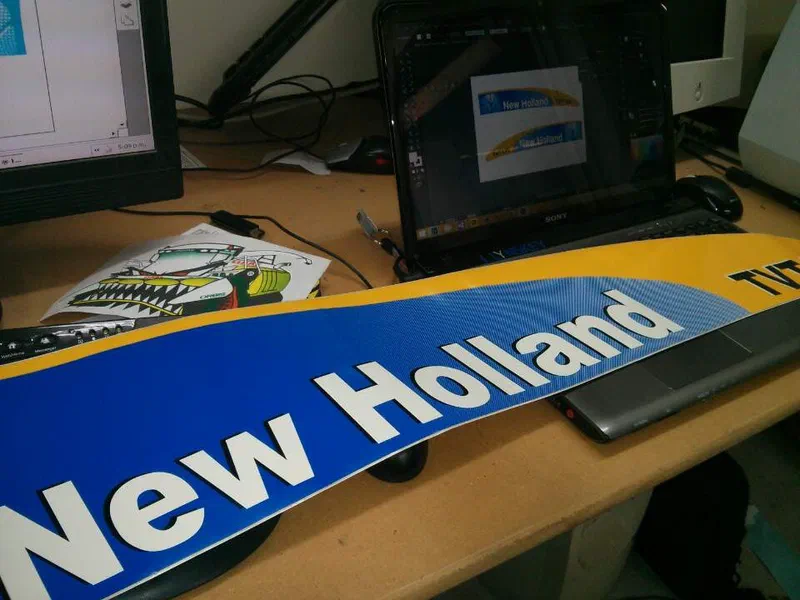
The Original Sticker#
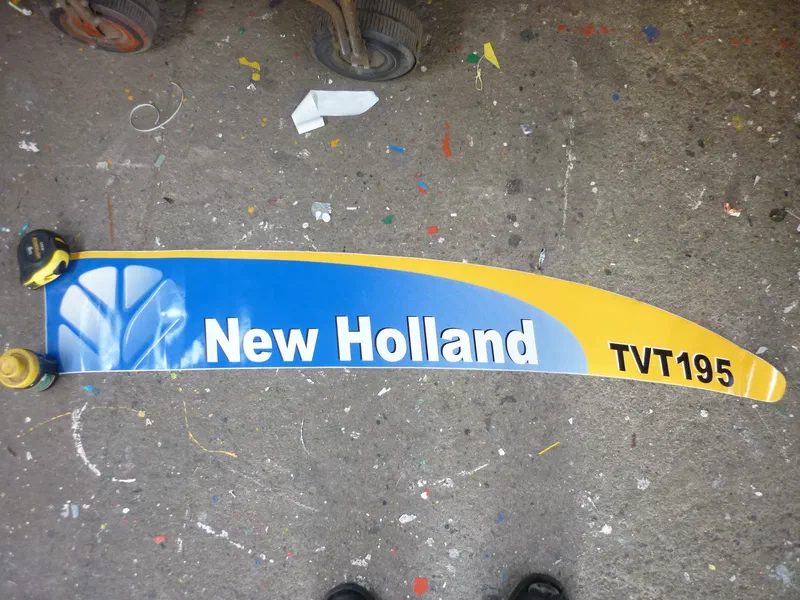
As you can see, the sticker wasn’t in perfect condition.
The Process#
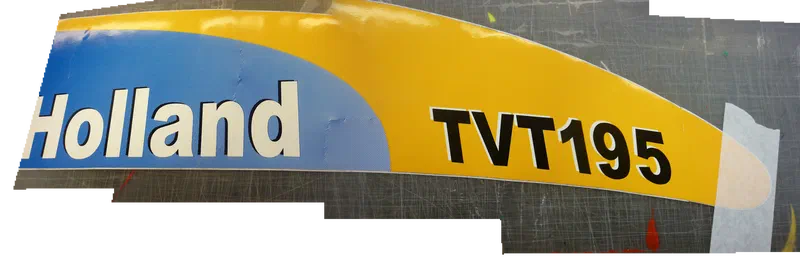
The trick was to take close-up photos with the camera available at the sign shop, then stitch the images together to get the highest quality image possible.
I used Photoshop’s Photomerge feature (File > Automate > Photomerge) to ensure the detail in the blue-to-white gradient was clear enough to accurately recreate.
With the stitched image as the reference, I redrew the sticker in Adobe Illustrator. Vector artwork prints just as sharp at any size, which is exactly what a large-format job needs.
The Final Result#
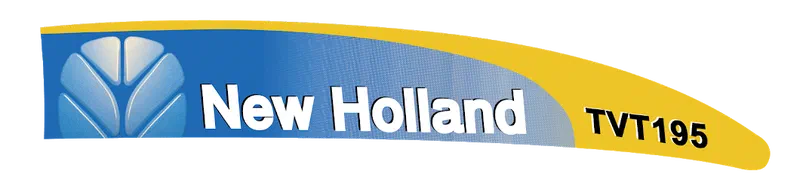
The customer was happy to have their sticker reproduced quickly without waiting for an international shipment.